
Summary
-
What you'll do: Edit a client's details, set up their household, change their assigned adviser and choose what each family member sees in the Client Portal.
-
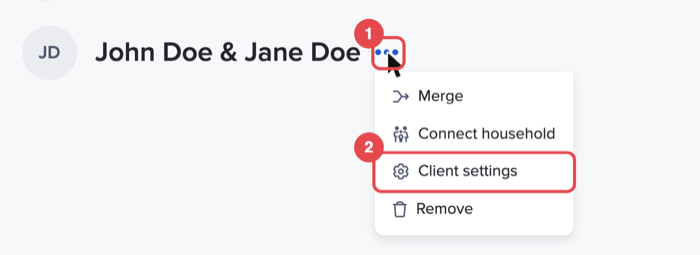
Where it lives: On the client's page, click "…" next to their name, then "Client settings".
-
Assigned adviser: Only advisers who can see all clients can reassign a client, and the whole household moves together.
Description
1. Open Client settings
-
Open the client from "Clients".
-
Click "…" next to the client's name, then "Client settings". The settings page opens with "Client details", "Household", "Audit trail" and "Client portal" on the left.
2. Client details and assigned adviser
-
Click "Client details" to see and edit the client's personal and contact information. The same details are in the client's Client record: under "About", click "Client record", then "Personal details", and click "Edit".
-
To hand the client to a colleague, change "Assigned adviser" and click "Save changes". Timeline notes that reassigning a client also reassigns all household members.
You can change the assigned adviser if you have the "Can manage all clients" permission. It can't be changed here for clients on Timeline Platform.
3. Household
-
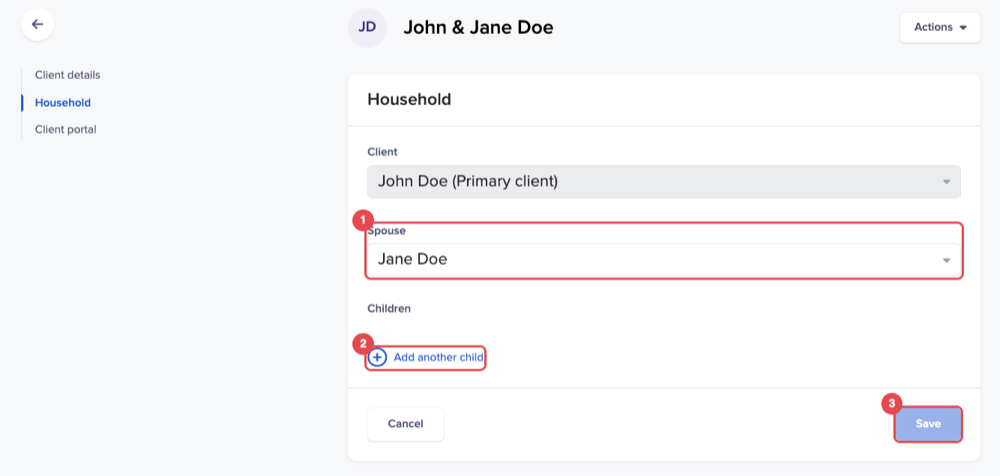
Click "Household". The main client is shown under "Client".
-
Choose a partner under "Spouse", and click "Add another child" for each child.
-
Click "Save".
4. Client Portal visibility (Timeline Platform clients)
-
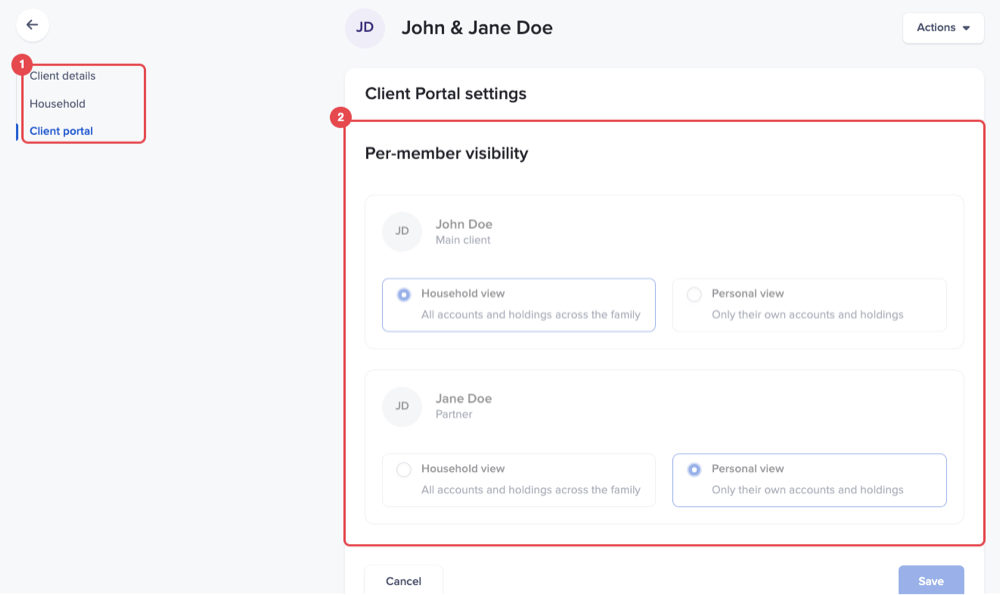
Click "Client portal". Under "Per-member visibility", each family member has a card.
-
Choose "Household view" (all accounts and holdings across the family) or "Personal view" (only their own accounts and holdings), then click "Save".
A member's card can only be changed once that person is on Timeline Platform.
Conclusion
Keeping households, advisers and portal access up to date in one place means the right adviser gets the notifications and each family member sees exactly what they should. Next, read Connect MPS households: client, spouse and children.