
Summary
-
One record per household: The Client record holds what you know about a client and their partner, from personal details to pensions, spending and protection.
-
Kept up to date for you: Finished FactFinds, Pennee and connected accounts update the record, and you can edit any of it yourself.
-
Every change logged: The audit trail shows who or what changed an item, when, and the old and new values.
-
Used across Timeline: The FactFind prefills from the Client record, and the financial plan links to its accounts, properties, debts, income and spending.
Description
1. Open the Client record
-
Open the client in Timeline.
-
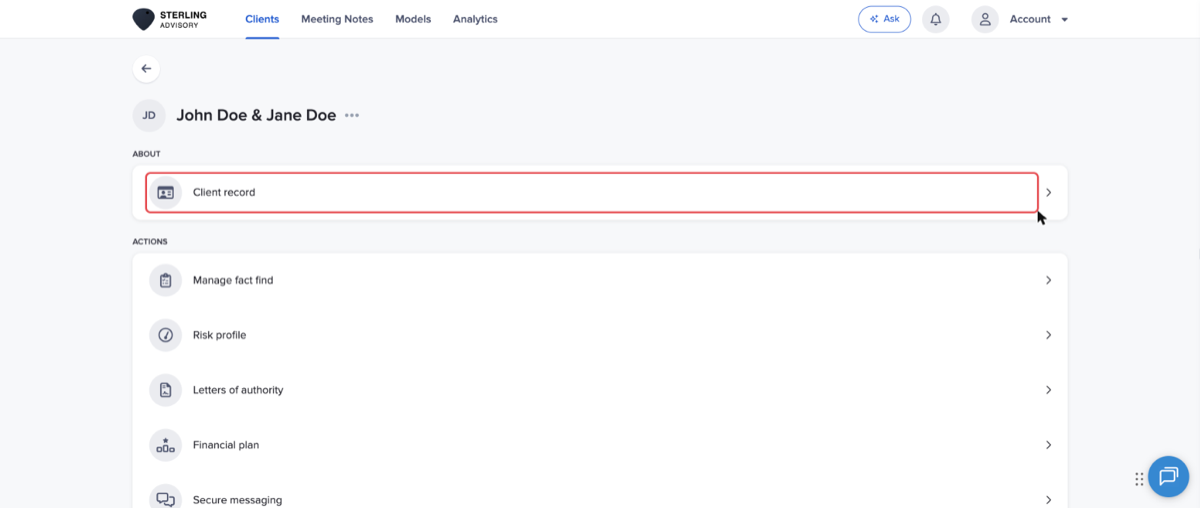
Under "About", click "Client record". The record opens on "Personal details", with a menu on the left.
2. What the Client record holds
The left menu has two groups and two standalone pages.
Client details
-
"Personal details": name, contact details, address, bank account and assigned adviser.
-
"Health", "Financial objectives", "Estate planning" and "Vulnerability": the client circumstances.
See Keep a client's personal details and circumstances up to date in the Client record.
Wealth overview
-
"Cash & Savings accounts": current accounts, savings accounts, Cash ISAs and other cash.
-
"Investment accounts": ISAs, GIAs, pensions and other investments, including connected and Timeline Platform accounts.
-
"Non-liquid assets": the main residence, holiday homes and rental properties, with their mortgages.
-
"Debts": mortgages, loans, lines of credit, credit cards and other debts.
-
"Income sources": salary, pensions, rental income and other income, with the years they start and stop.
-
"Spending": one monthly figure, or a breakdown across six categories.
-
"Contributions & transfers": regular money going into an account, and where it comes from.
-
"Protection": life cover, critical illness and other policies.
See Record a client's wealth in the Client record.
Documents holds the client's documents. Audit trail lists every change to the record.
Each item has an owner: the client, the partner, or both of them jointly.
3. How the Client record stays up to date
-
You and your team: Add, edit or delete anything in any section.
-
FactFind: When a client finishes a FactFind, their answers update the matching sections, including anything they removed. See How the FactFind and the Client record keep each other up to date.
-
Pennee: Ask Pennee to add, change or remove an item, for example from a valuation or your meeting notes, and it updates the record once you confirm. See How Pennee works with the Client record.
-
Connected accounts: Accounts imported from a provider, and Timeline Platform accounts, are updated from their source.
The audit trail shows which of these made each change.
4. Items with missing details
A FactFind never forces the client to answer every question, so some items arrive incomplete. Timeline saves them anyway, so nothing the client told you is lost, and marks them "Some details are missing. Edit to complete it." Open the item and fill in the highlighted fields when you have the information. Timeline never fills in missing values for you.
5. Where Timeline uses the Client record
-
FactFind: With Smart Prefill on, a new FactFind starts with the client's details, accounts, income, spending, debts and protection already filled in.
-
Financial plan: Investment and cash & savings accounts, properties and mortgages, debts, income sources and spending from the Client record can be added to a plan and stay linked to it. See How the financial plan uses the Client record.
-
Back office: The button at the top right of the Client record sends the household's details to Intelliflo ("Create in intelliflo" for a new client, "Push details to Intelliflo" for one already there).
Conclusion
The Client record gives you one place to check what you know about a client, where it came from and when it changed. Clients don't repeat themselves at each review, and your file stays ready for the next conversation.
Guides for each part: Keep a client's personal details and circumstances up to date in the Client record · Record a client's wealth in the Client record
Related: How the financial plan uses the Client record · How the FactFind and the Client record keep each other up to date · How Pennee works with the Client record · See who changed what, and when, with the client audit trail