
Summary
-
The CSV Export feature allows financial advisers to export the detailed calculations used in the cashflow modeller and tax breakdown sections.
-
It improves transparency by providing full visibility of the underlying calculations in Timeline Planning.
-
The exported CSV can support client discussions around:
-
Investment outcomes (end-of-year balance, growth, fees, contributions, withdrawals).
-
Tax implications (cumulative taxes, tax rates, allowances, and taxable amounts).
-
-
The export reflects the median scenario in nominal terms.
-
This tool enables more comprehensive and informed financial discussions between advisers and clients.
Description
Effective financial planning is not just about building a robust model — it’s also about clearly communicating how that model works. The CSV Export feature in Timeline Planning is designed to enhance transparency and support deeper client conversations.
This feature allows advisers to export the detailed calculations that power the Cashflow Modeller and Tax Breakdown sections into a CSV file. The CSV format makes it easier to filter, sort, analyse, and manipulate data externally (for example, in Excel).
The export includes yearly data for the median scenario in nominal terms, including:
-
Account balance
-
Balance growth
-
Withdrawals (gross)
-
Taxable withdrawal
-
Income amount (gross)
-
Taxable amount
-
Inflation
-
LSA available
-
Income tax brackets
This structured output provides full visibility into how projections are calculated year by year.
Where to find it
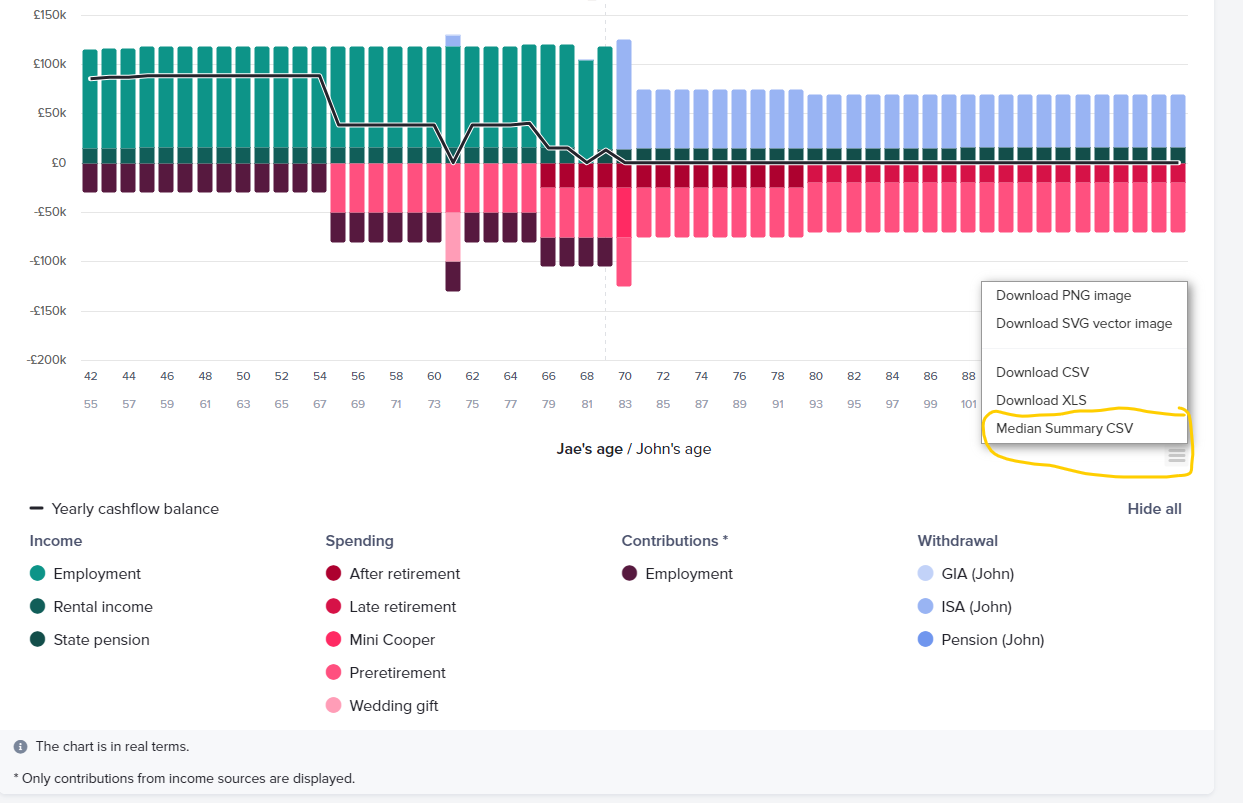
You can download the CSV by navigating to the Cashflow chart and clicking on “Median Summary CSV.”
Example
Scenario 1: Discussing Investment Outcomes
Imagine a client who wants a deeper understanding of how their investments are projected to perform over time.
Using the CSV export, you can review and share:
-
End-of-year account balances
-
Annual growth
-
Contributions and withdrawals
-
Fee impacts
-
Total return over time
With this granular data, you can have a more informed discussion about investment strategy, sustainability, and long-term outcomes.
Scenario 2: Reviewing Tax Implications
In another scenario, a client may want clarity on how taxes affect their financial plan.
The CSV export allows you to analyse:
-
Annual taxable income
-
Taxable withdrawals
-
Income tax brackets applied
-
Cumulative tax paid
-
Allowances available (such as LSA)
By reviewing these calculations together, you can clearly explain how tax liabilities evolve over time and how planning decisions influence the overall tax position.
Conclusion
The CSV Export feature in Timeline Planning strengthens transparency and supports more data-driven client conversations. By providing access to the detailed calculations behind the cashflow model, advisers can confidently explain outcomes, validate assumptions, and build greater trust.
Ultimately, this feature transforms complex projections into actionable insights — helping clients better understand their financial future and make more informed decisions.