
Summary
-
Personal details: Name, date of birth, contact details, address, employment, retirement age, annual review date and bank account, for the client and their partner.
-
Client circumstances: Short summaries of the client's health, financial objectives, estate planning and vulnerability, with the source of each one.
-
Kept up to date for you: A finished FactFind updates both, and you can edit anything yourself.
-
Every change logged: The audit trail shows who changed what, and the old and new values.
Description
1. Open the Client details
-
Open the client in Timeline and, under "About", click "Client record". The record opens on "Personal details".
-
The "Client details" group in the left menu has five pages: "Personal details", "Health", "Financial objectives", "Estate planning" and "Vulnerability".
2. Personal details
"Personal details" is split into these parts:
-
"Assigned adviser": the adviser responsible for the client. Reassigning the client also reassigns everyone in their household.
-
"Personal information": name, date of birth, gender, nationality, marital status and National Insurance Number.
-
"Contact information": email and phone number.
-
"Address": the client's current address.
-
"Other information": employment status, retirement age and date of annual review.
-
"Bank account": account holder's name, bank, account number and sort code.
If the household has more than one person, use "Select client" at the top to switch between them.
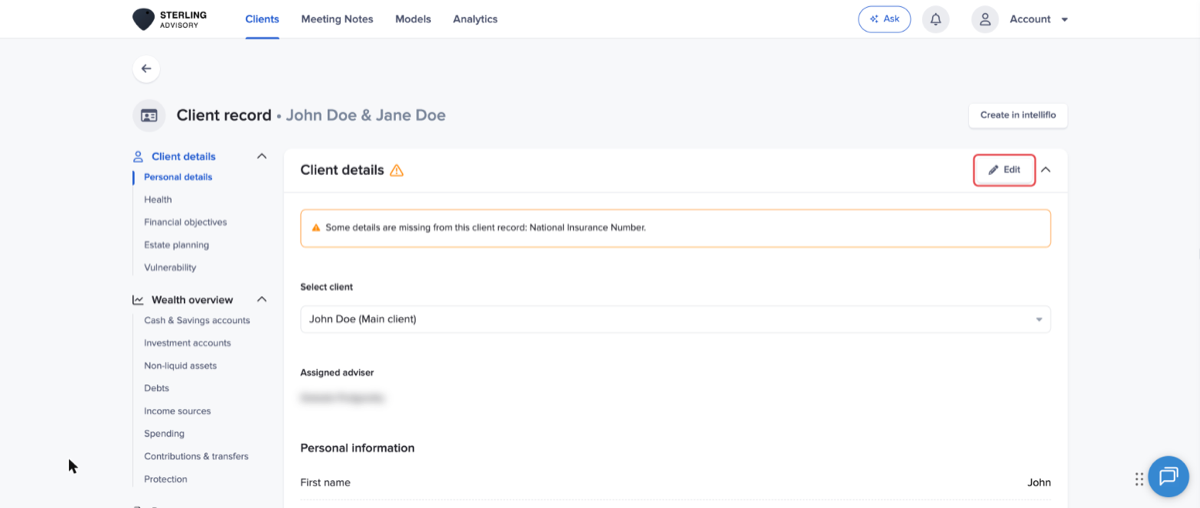
To edit:
-
Click "Edit" at the top right of the section.
-
Change the fields you need.
-
Click "Save changes", or "Cancel" to discard your changes.
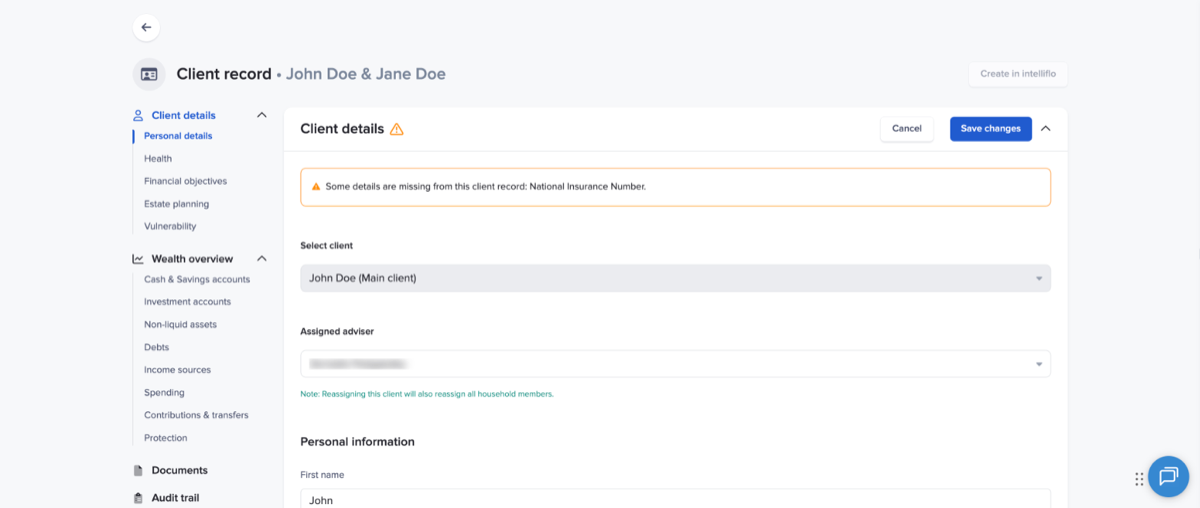
A few rules to know:
-
Retirement age: set the date of birth first. The list shows the year the client reaches each age.
-
National Insurance Number: must follow the format AB 12 34 56 C.
-
Address and bank account: both are optional, but once you start one, fill in all its required fields.
-
Missing details: if the date of birth, National Insurance Number or email is missing, a message at the top lists them. It's a reminder and doesn't stop you saving.
-
Timeline Platform clients: once a Platform client has passed identity checks, their details can only be changed by the Platform team. Contact platform@timeline.co.
3. Client circumstances
"Health", "Financial objectives", "Estate planning" and "Vulnerability" each hold a short summary in bullet points, with a column for the client and one for their partner:
-
"Health": conditions or lifestyle that affect the client's plans.
-
"Financial objectives": what the client wants to achieve, such as retirement goals or helping family.
-
"Estate planning": wills, powers of attorney, gifts and inheritance wishes.
-
"Vulnerability": circumstances that may make the client vulnerable, so you can adapt how you work with them.
Under each summary, "Sources" shows where it came from, for example "FactFind • Completed 3 Nov 2026". Click a FactFind source to open that FactFind. If nothing has been captured yet, the section shows "Nothing to summarise yet".
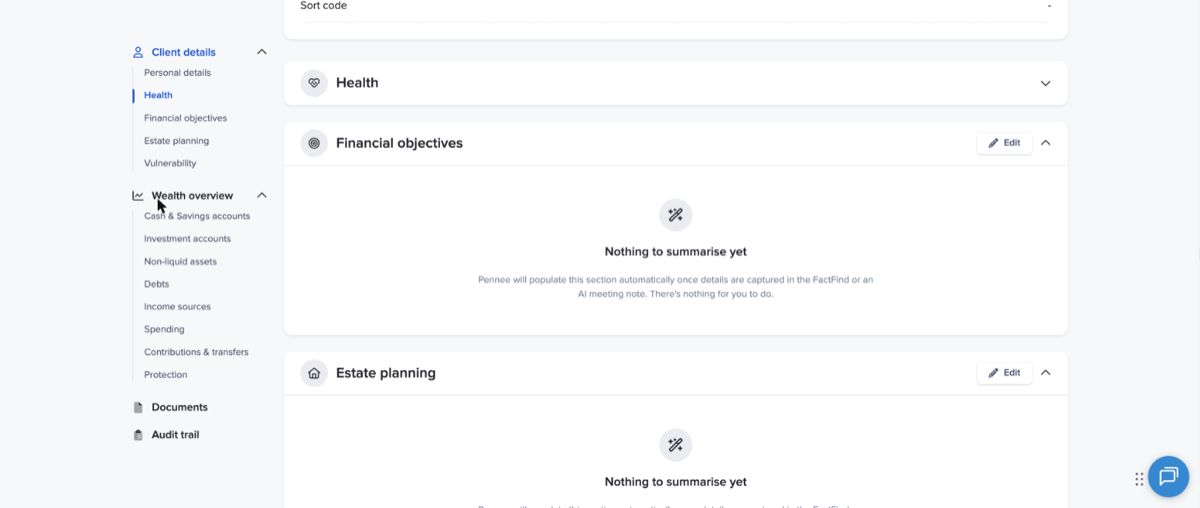
To edit a summary:
-
Click "Edit" on the section. A text box opens for each person in the household.
-
Change the text. Each line becomes a bullet point.
-
Click "Save changes", or "Cancel" to keep the summary as it was.
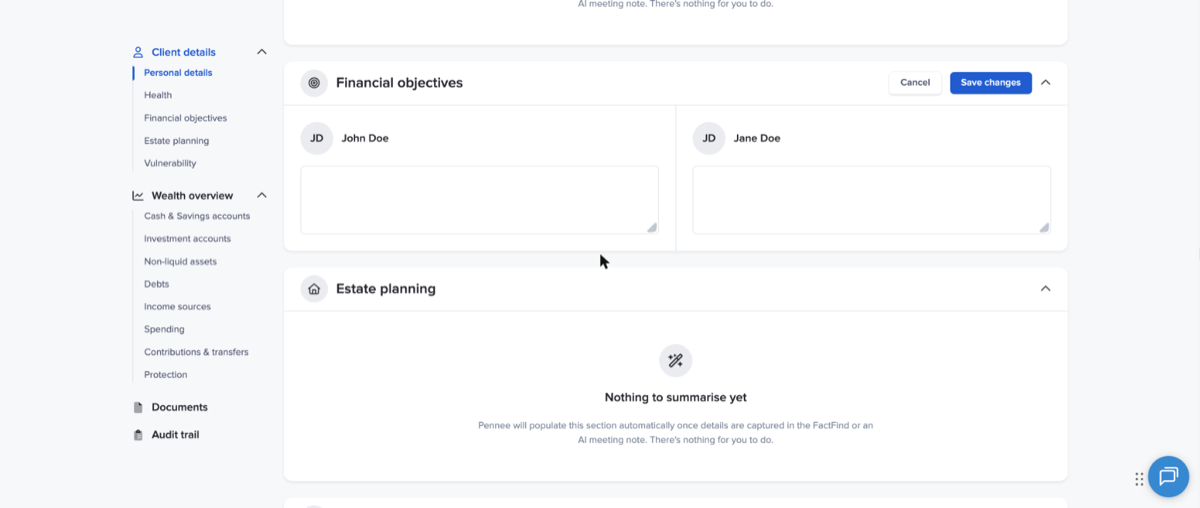
4. How the Client details stay up to date
-
FactFind: when the client finishes a FactFind, their answers update their personal details, and Pennee rewrites the four summaries from their answers on health, goals, gifts and your custom questions. This is done for the client and their partner.
-
Your edits are kept: when Pennee updates a summary you've edited, it keeps the facts you added unless the new answers contradict them, though it may reword them.
-
What the next FactFind uses: a new FactFind with Smart Prefill starts with the client's marital status, employment status and phone number. The health, objectives, estate planning and vulnerability questions are prefilled from the client's previous FactFind, not from these summaries, so your edits don't change what the client sees.
-
Pennee: ask Pennee to update a client's details or add to a summary. See How Pennee works with the Client record.
Conclusion
The Client details give you one current set of facts about each person in the household, and a summary of their circumstances you can read in a minute before a review. You can check where each point came from and correct anything.