
Summary
-
What it is: Modular Reporting builds client reports from the data you already hold in Timeline: the FactFind, the risk profile, financial plans and investment accounts.
-
Templates: Start from one of four ready-made templates or build your own, then reuse it for every client.
-
Your wording, your brand: Add your own sections and text. Your logo and brand colours run through every report.
-
You check it before it goes out: Review and edit the report in Timeline, then download it as a PDF or send it to your client.
-
Less copy and paste: No more screenshots, spreadsheet exports and rebuilding the same document in Word for each review.
Description
Most advisers know the routine. Before a review meeting you pull figures from the platform, take screenshots of the cashflow plan, copy the risk score across, and paste it all into last year's Word document. Modular Reporting does that assembly for you. You choose what the report should contain, and Timeline fills it in from the client's record.
1. What goes into a report
A report is made of sections. Each section shows one thing, such as asset allocation, the sustainable spending chart from the financial plan, the client's risk score, or their income and spending from the FactFind. Sections are grouped into:
-
Investment analysis: performance, returns, costs and charges, asset allocation and holdings for the client's investment accounts.
-
Financial plan: the plan summary, the main charts, and comparisons between plans.
-
IHT Planner: the client's estate today, allowances used, gifts and how the estate would be distributed.
-
Risk profile: the investment strategy that fits the client's risk score, how the score was worked out, and their answers.
-
FactFind: financial details such as income, property, debts, pensions and protection, and non-financial details such as health, objectives and vulnerability.
-
Client education: clear, plain-English explanations of investing over the long term, with charts based on the client's own figures where relevant.
-
Legal and signatures: a signature page and space for client comments.
You can also write your own sections. See The Modular Reporting section library for the full list.
2. Templates do the repeat work
A template is the list of sections you want, in the order you want them. Timeline includes four to start from: a Switch Report, a Financial Plan report, a Risk Profile report and a FactFind report. Most firms then build their own, for example one for annual reviews and one for new clients, so every adviser produces the same structure. See Build reusable report templates in the Template Centre.
3. You stay in control of the wording
When you create a report, Timeline asks a few questions first: which plan to show, which accounts to analyse, which FactFind to use. It then builds the report and opens it for you to read. You can change any of your own text in the editor. If the client's data changes before you send it, Refresh data updates the charts and tables and keeps what you've written.
4. Branded and ready to share
Your firm's logo and brand colours, set in your account settings, appear throughout the report. When you're happy with it, download it as a PDF named after the report title, or send it to your client by email from Timeline.
Example
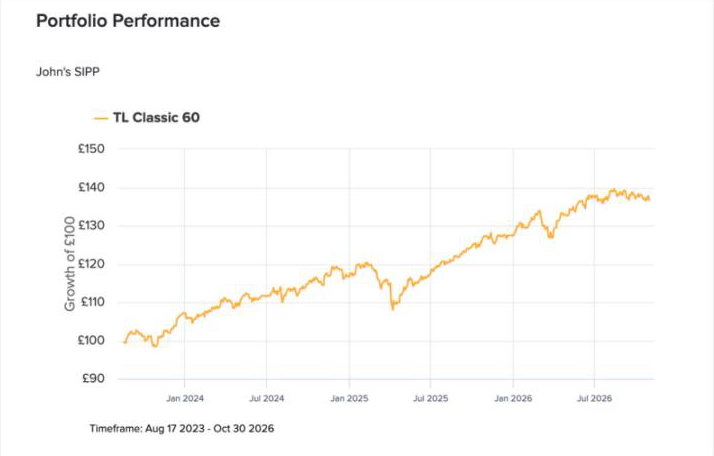
John and Jane Doe are coming in for their annual review. Their adviser opens John's record, clicks Create report and picks the firm's "Annual review" template. Timeline asks which financial plan to show and which accounts to include, then builds a report with their current portfolio, the sustainable spending chart, the IHT Planner results and a signature page. The adviser adds a short paragraph about the change in Jane's working hours, reads it through and downloads the PDF for the meeting.
Conclusion
Modular Reporting turns the information you already keep in Timeline into a report your client can read, in your firm's style. Set up your templates once, and each review starts from a finished draft rather than a blank page.