More flexibility for your clients. More flexibility for your team.
We've made two updates to Timeline Platform, giving you more flexibility over your clients' experience and how your team works on the Platform.
There are new role-based Platform permissions for your team, alongside new options for tailoring account visibility across households.
New on Timeline Platform
More flexibility, built into the Platform.
Tailor Platform access and household visibility to suit your clients and your team.
Platform permissions
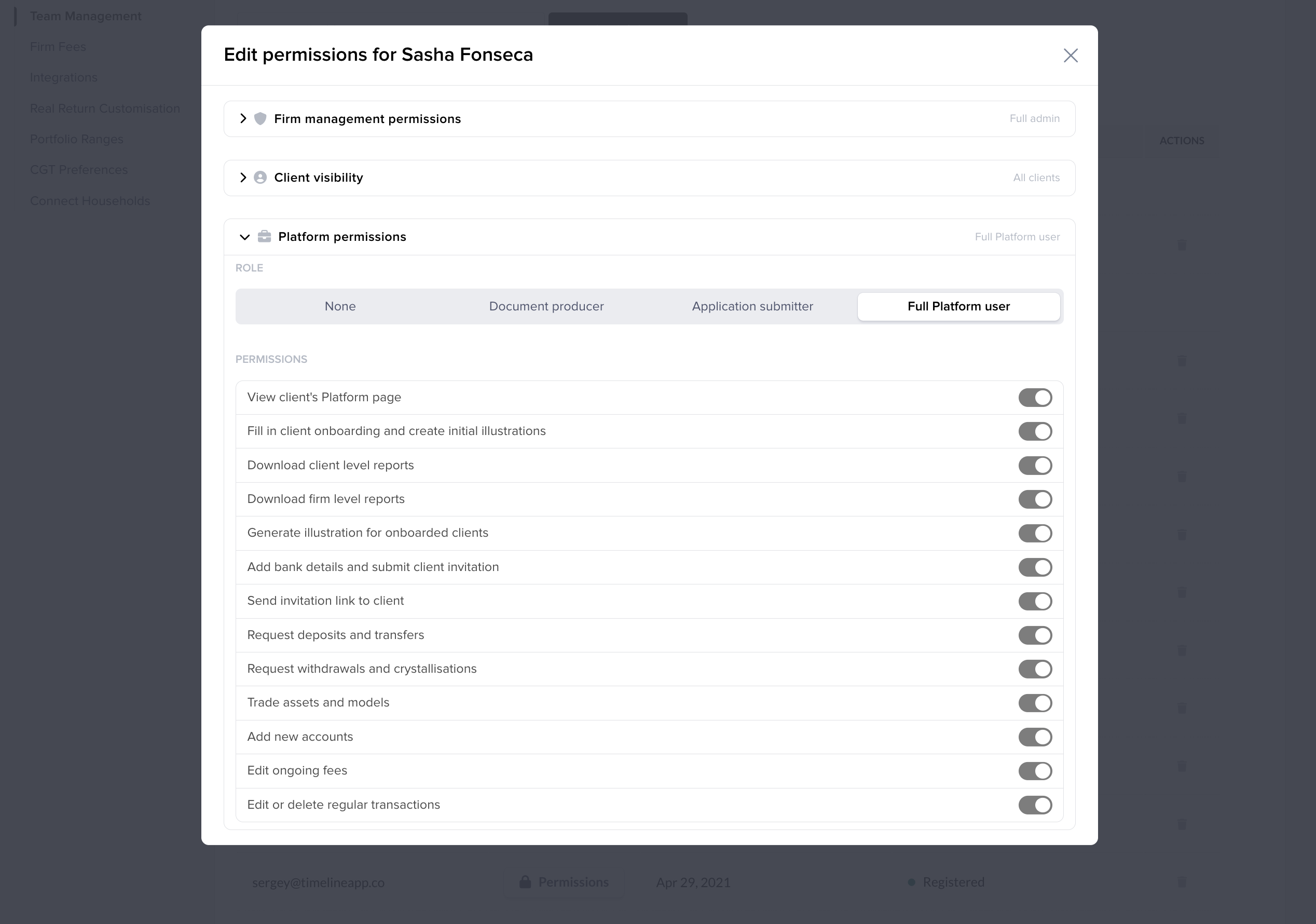
Set the right level of Platform access for your team
Different members of your team may have different responsibilities, from preparing documents and supporting onboarding through to managing transactions.
Role-based permissions make it easier to tailor Timeline Platform access around those responsibilities.
Four levels of access
Match Platform access to different responsibilities
None
No access to Timeline Platform.
Document producer
Can take a client through onboarding up to the illustrations page, and download client-level or firm-level reports for Platform clients.
Application submitter
Can complete onboarding, including bank details, KYC/AML and sending the client invitation.
Full Platform access
Access to everything currently available on Timeline Platform, including deposits, transfers, withdrawals, buys and sells.
Household settings
Tailor the Platform experience for each household
Every household works a little differently. Some clients manage their finances closely together, while others prefer to keep certain accounts separate.
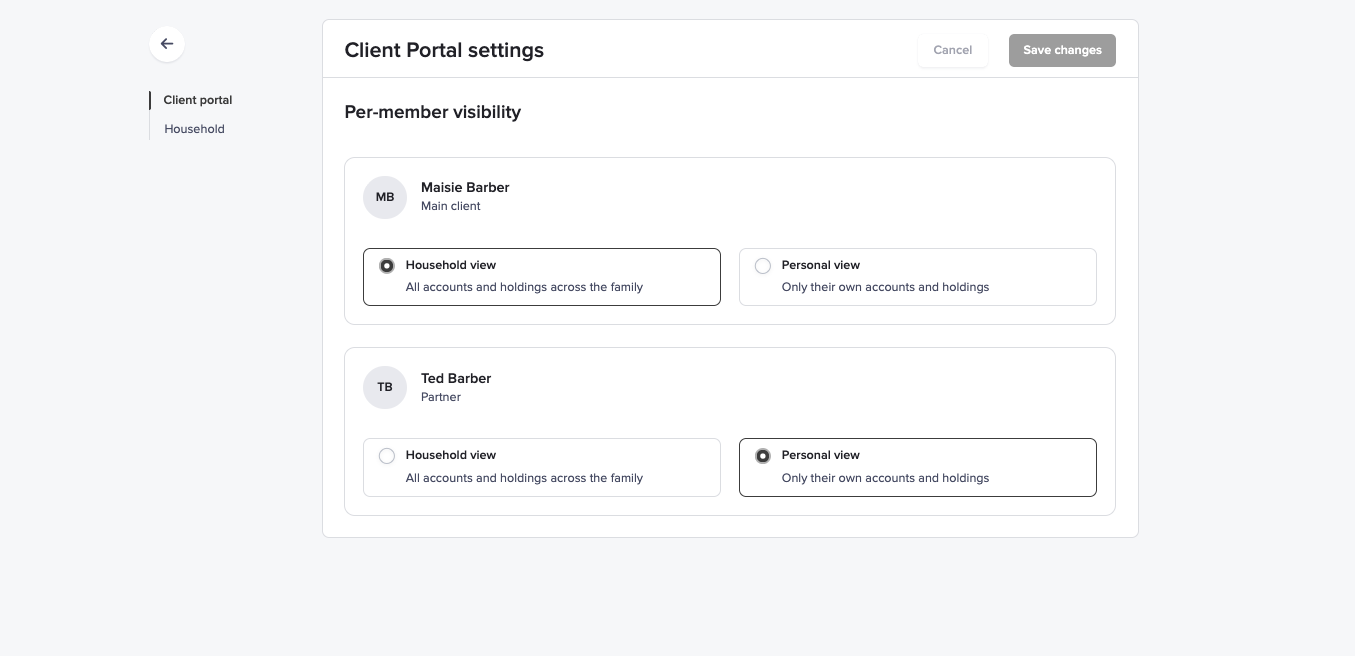
Household settings give you the flexibility to tailor what each household member sees on Timeline Platform.
Personal view
The client sees only their own accounts, transactions and documents.
Household view
The client can see accounts, transactions and documents across the whole household.
Where to find it
Open the '...' menu next to the household name and select 'Client settings'.Household settings are available for clients onboarded on Timeline Platform.
More flexibility, built into Timeline Platform
Whether you're tailoring what individual household members see or matching Platform access to responsibilities across your team, both updates give you more flexibility in how your firm uses Timeline Platform.
Both updates are live now.
If you have any further questions, we're always happy to help. Please get in touch at support@timeline.co.
Take a look on Timeline Platform
Log in to explore the new Platform permissions and household settings.
Log in to Timeline PlatformNot yet using Timeline Platform? Speak to your AST, or find out more on our website.